Sample report · real account · names changed
What you actually get.
Three documents, all produced by our software from one real Google Ads account: a paint protection and window tint shop in Minneapolis. Business and campaign names are changed. Every number is unchanged.
01 · 2 pages · 60 days · Aug 10 – Oct 8, 2026
Free ad audit Free
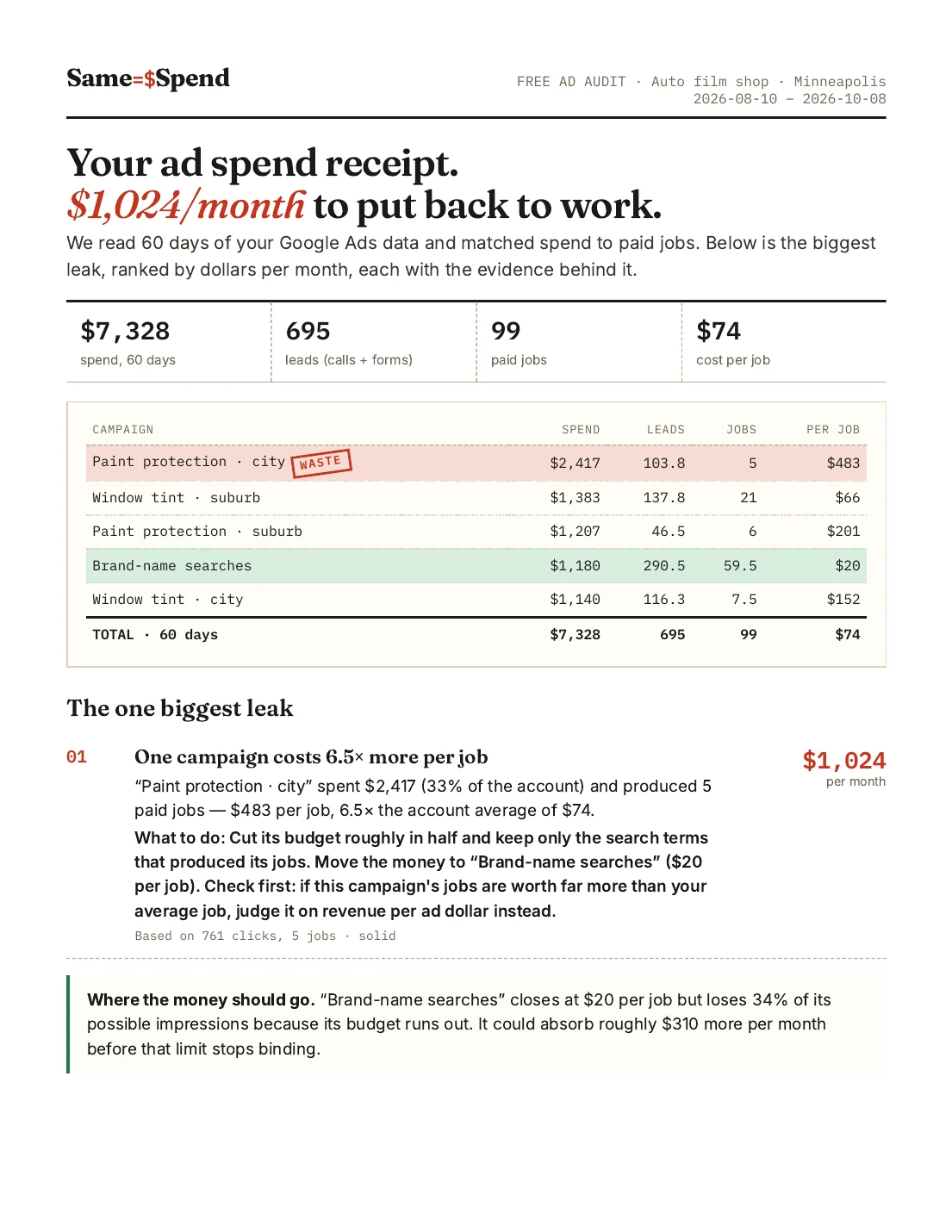
Two pages. The receipt, the single biggest leak in dollars per month, where the money should go, and how we got every number.
What to look at
- 1The receipt. Every campaign with spend, leads, paid jobs and cost per job. Red = the most expensive jobs, green = the cheapest.
- 2The one biggest leak. Stated in dollars per month, with what to do about it and the sample size behind it (clicks, jobs, confidence).
- 3Where the money should go. Which campaign is capped by budget and roughly how much it could absorb.
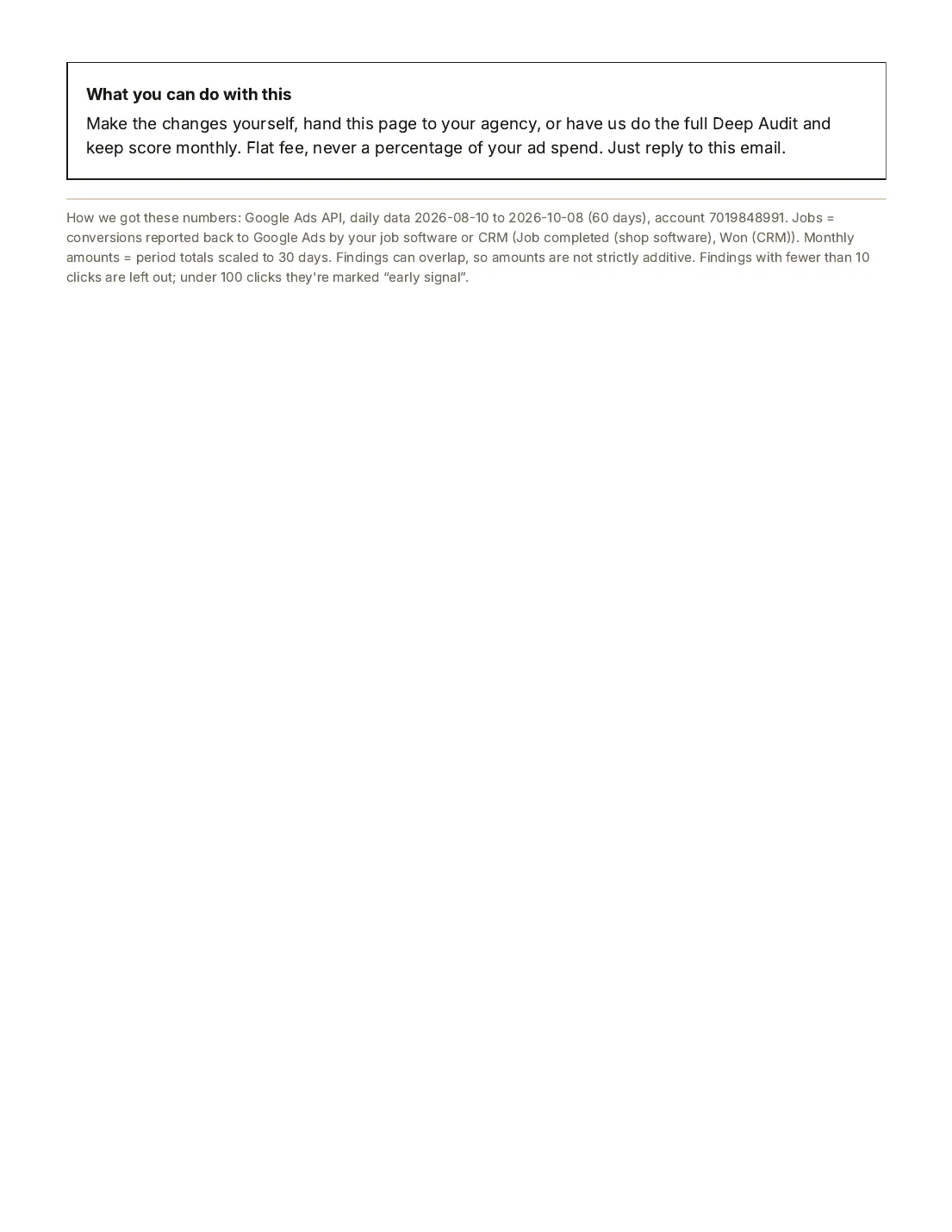
- 4Method. Page 2 lists the data sources, the date range and the conversion actions counted as leads and as jobs.
02 · 4 pages · 90 days · Jul 13 – Oct 10, 2026
Deep audit One-time fee, quoted after the free audit
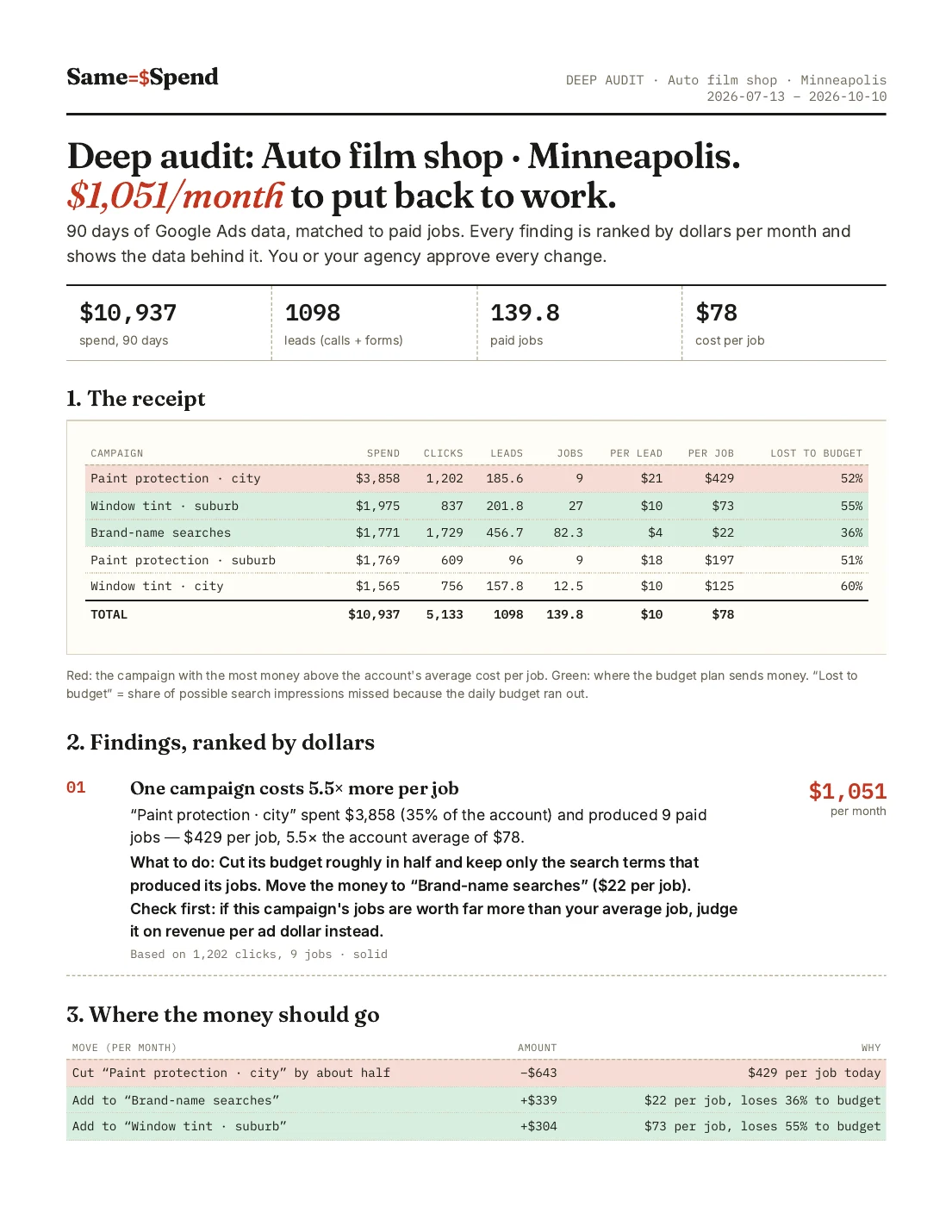
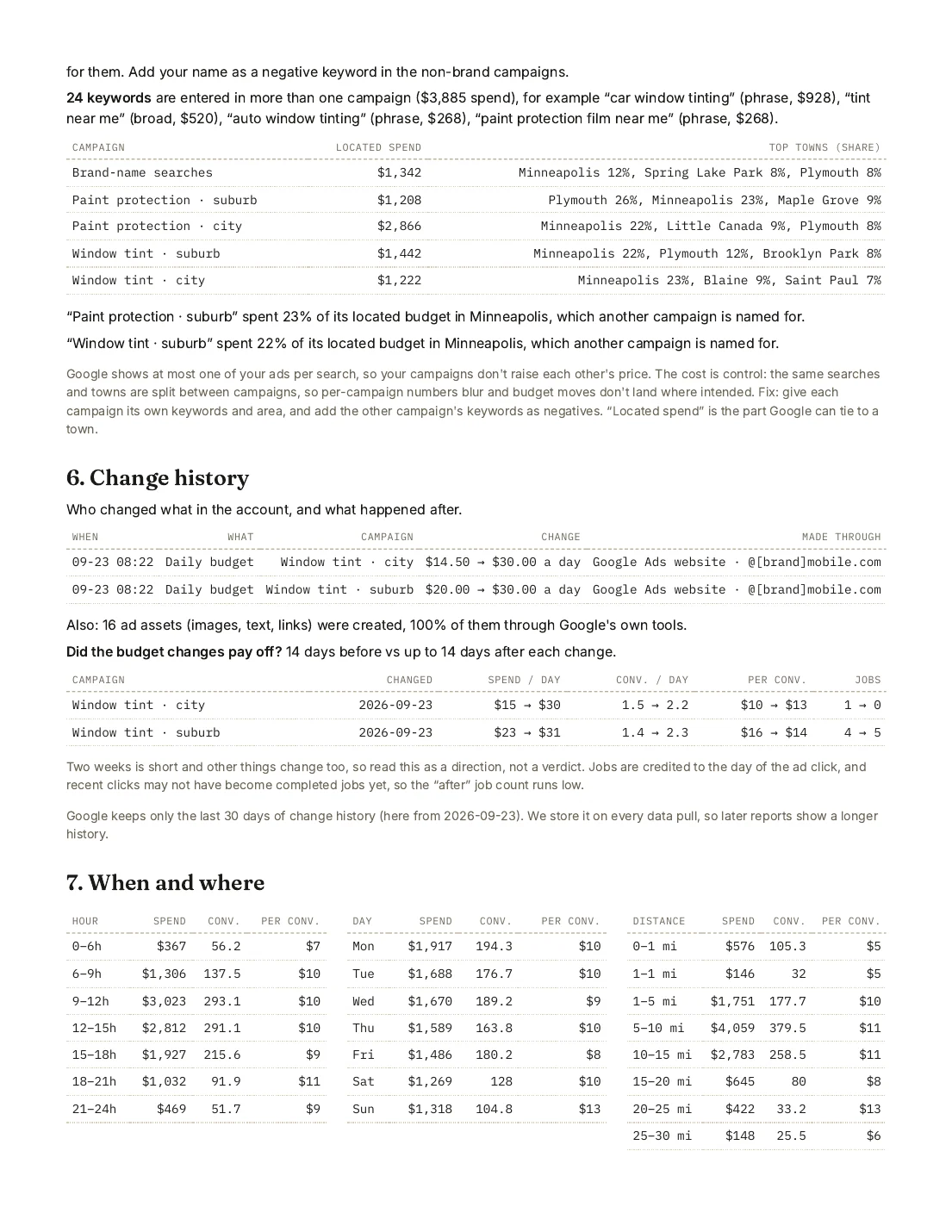
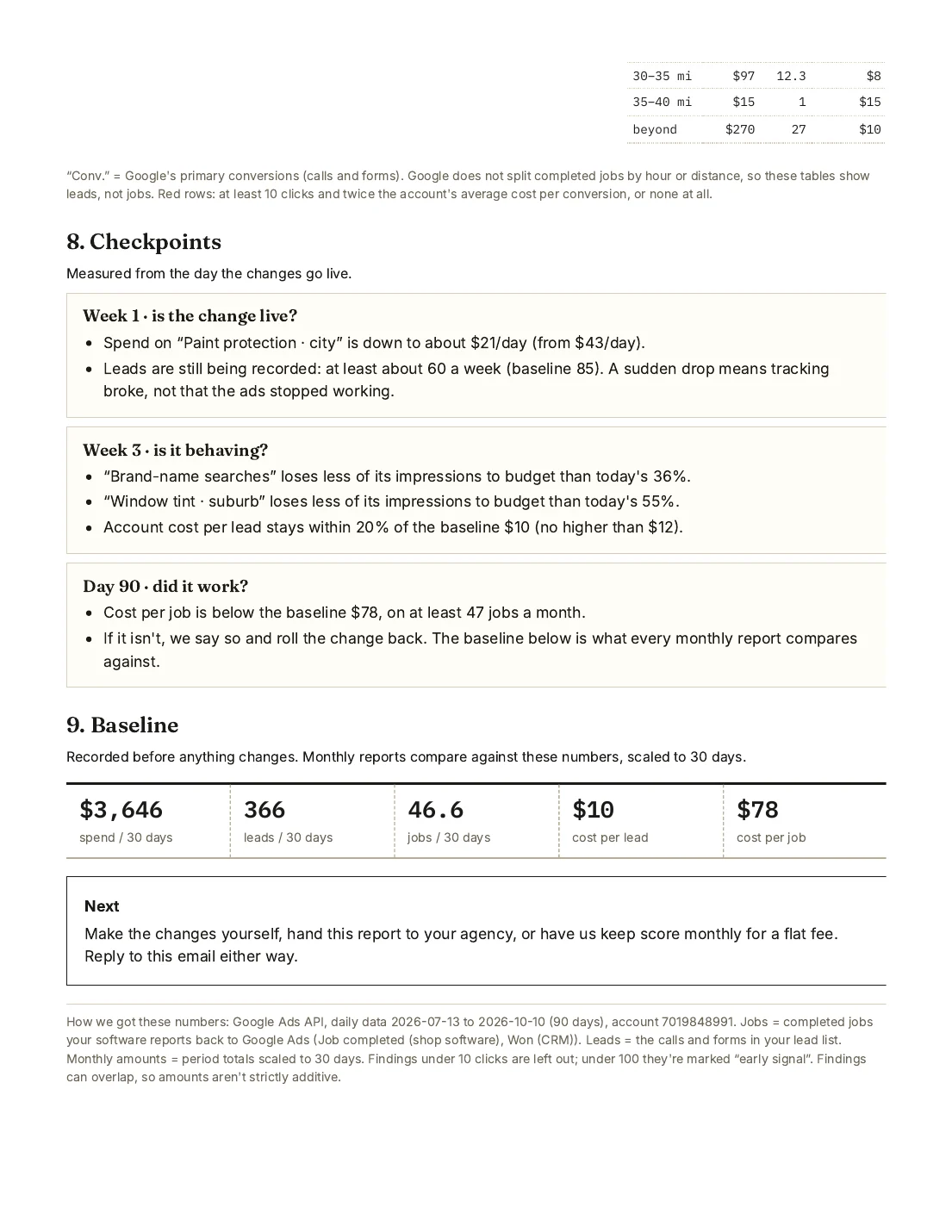
Four pages. Everything in the free audit plus a budget plan, a tracking check, campaign overlap, change history, when and where leads arrive, and the checkpoints we'll use to judge the result.
What to look at
- 1Findings ranked by dollars. Each with the evidence, the sample size and the exact change we recommend.
- 2Budget plan. Dollar amounts to move, per month, with a deliberately pessimistic estimate of what they'll buy.
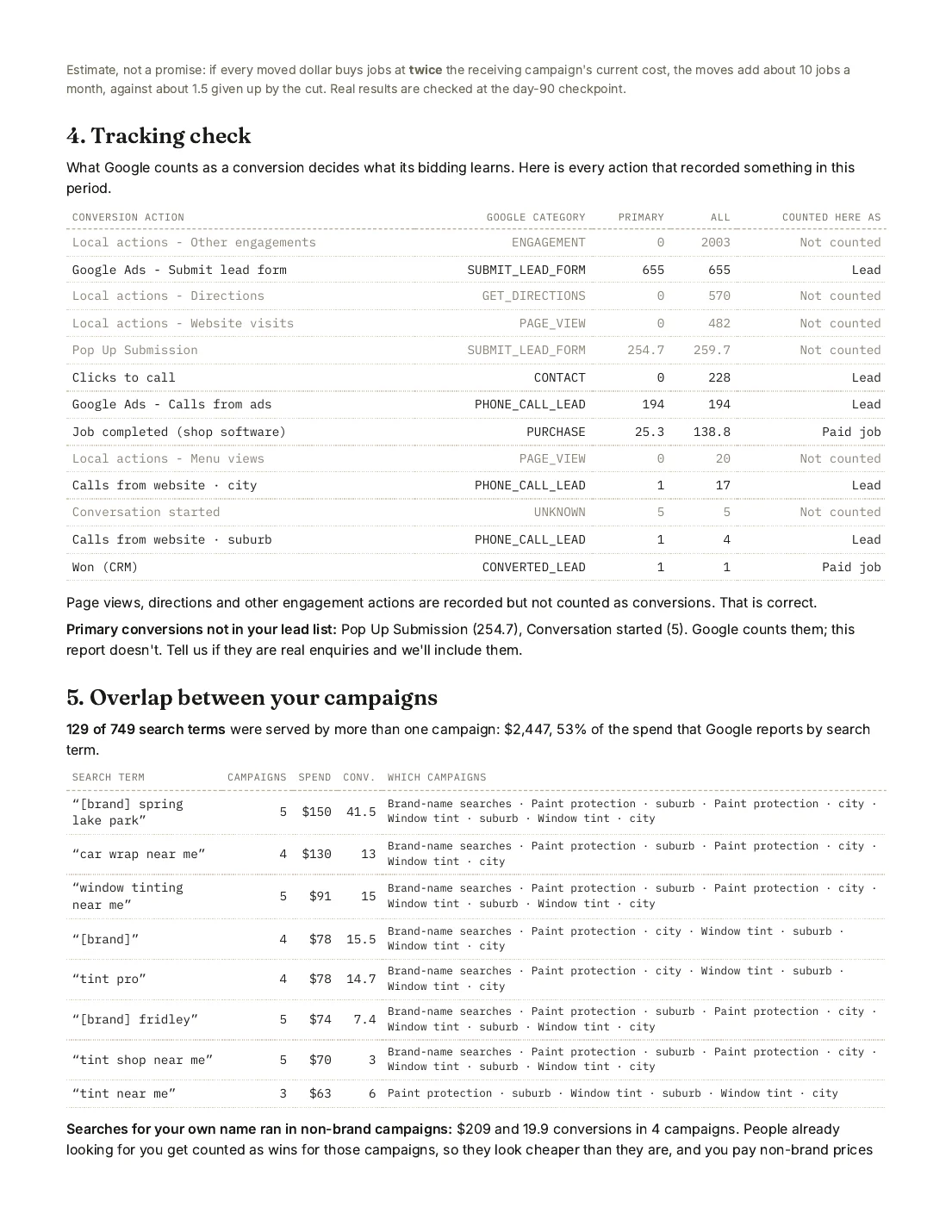
- 3Tracking check. Every conversion action, whether it counts as primary or secondary, and what Google is actually optimizing for.
- 4Overlap and change history. Search terms running in several campaigns at once; budget changes in the last 30 days with before/after numbers.
- 5Checkpoints. What we'll look at in week 1, week 3 and on day 90 to tell whether the change worked.
03 · 2 pages · September 2026
Monthly report Flat monthly fee
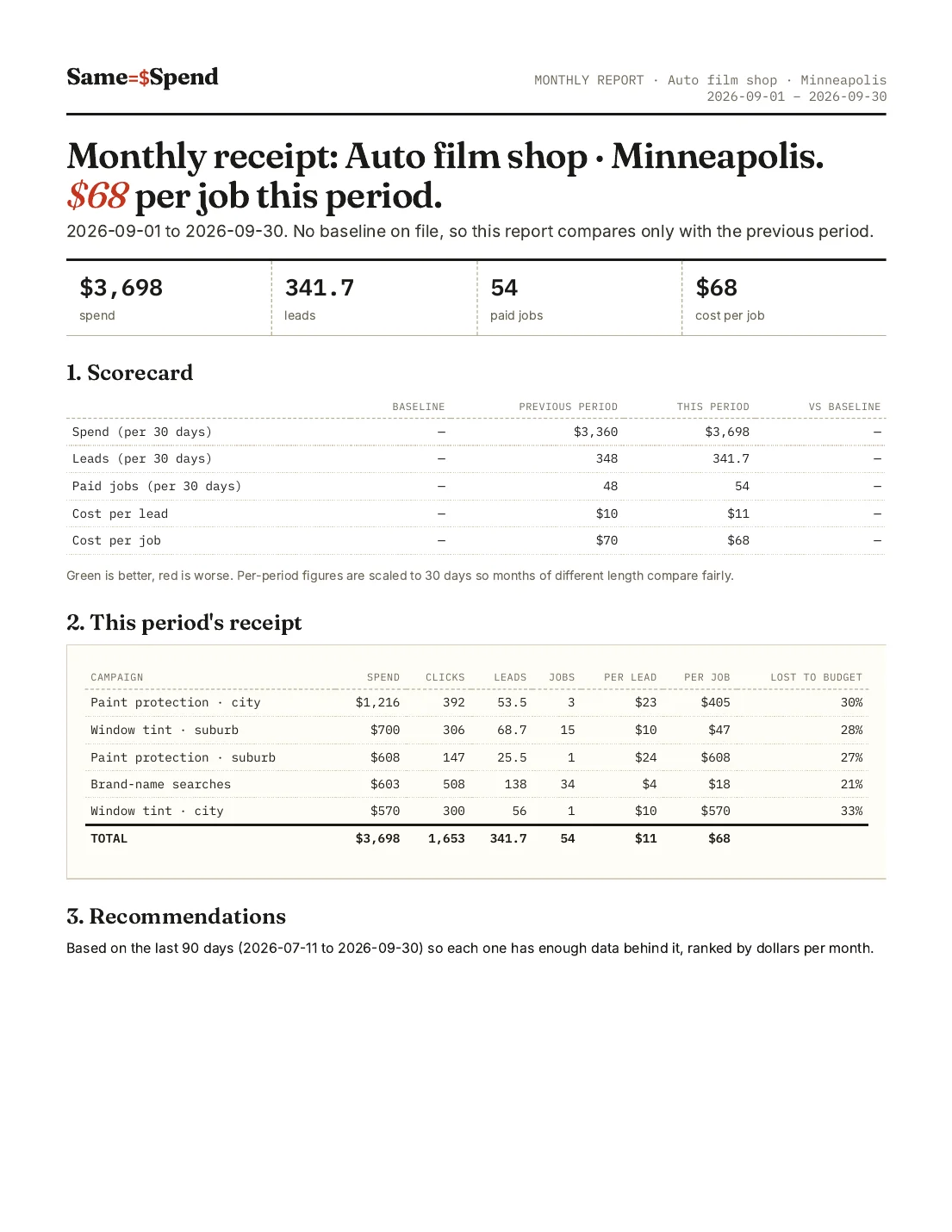
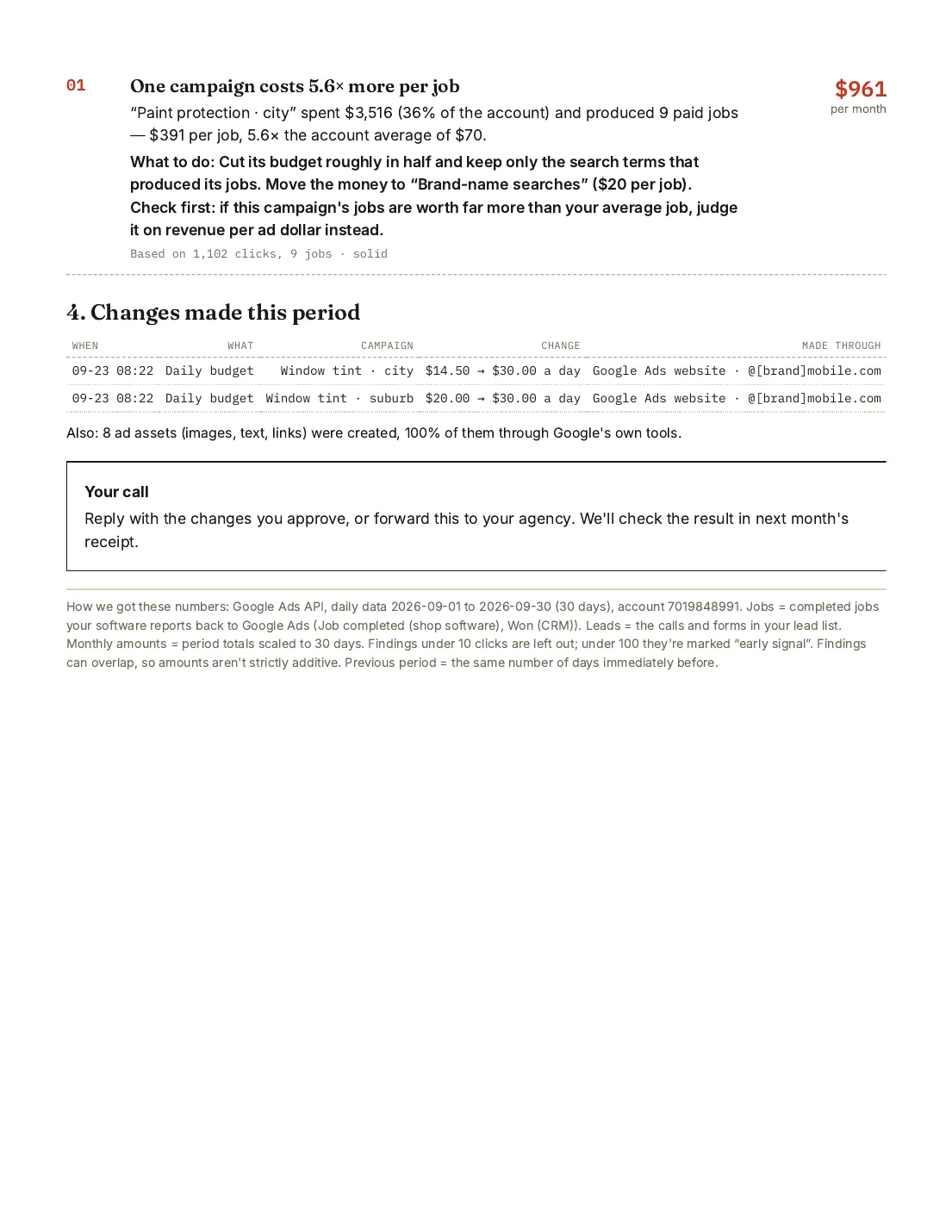
Two pages a month. A scorecard against your baseline and the previous month, the receipt, 3–5 recommendations and the changes made this period.
What to look at
- 1Scorecard. Spend, leads, paid jobs and cost per job versus the baseline we recorded before anything changed, and versus last month.
- 2Receipt with baseline column. Each campaign's cost per job next to where it started.
- 3Recommendations. Ranked by dollars, from the trailing 90 days, so one slow week doesn't drive decisions.
- 4Changes made this period. What changed in the account and when, so results can be traced to decisions.
How to read any of them
Conventions we keep in every report.
Completed or booked jobs reported back to Google Ads by the client's CRM or shop software. Credited to the day of the click, so the most recent two weeks always look worse than they'll end up. The report says so.
Red: the campaign with the most money above the account's average cost per job. Green: where the budget plan sends money.
The share of possible search impressions missed because the daily budget ran out. A green campaign losing 30%+ to budget is usually the cheapest growth in the account.
Always labelled. Moved dollars are assumed to buy jobs at twice the receiving campaign's current cost per job, a deliberately pessimistic assumption.
Every finding states the clicks and jobs behind it and a confidence label. Small samples are called hints, not conclusions.
Questions about the samples
Are these real reports?
Yes. All three were generated by our software from one real Google Ads account, an auto film shop in Minneapolis, Minnesota, covering July to October 2026. The business name and campaign names were changed; every number, date and recommendation is exactly as produced.
Why are there half jobs in the receipt?
Google Ads splits credit for a conversion between campaigns when more than one ad click preceded it. A job credited 50/50 to two campaigns shows as 0.5 in each. We keep Google's attribution rather than inventing our own.
What's the difference between the free audit and the deep audit?
The free audit is two pages: the receipt, the single biggest leak and where the money should go. The deep audit is four pages and adds a ranked list of findings, a budget plan with amounts, a tracking check of every conversion action, campaign overlap, recent change history, when and where leads arrive, and checkpoints. The deep audit is paid and quoted after the free audit.
Why do the totals differ slightly from the case study?
The case study was written from an earlier data pull. The samples were generated later, after late-reported conversions arrived and with the free audit's current lead definition, so leads and totals differ by a percent or two. Spend and paid jobs per campaign are the same.
Will my report look like this?
Same structure, your numbers. Sections that don't apply to your account are left out rather than padded, and where the data is thin the report says so.
Your account. Same format.
Grant read-only access to Google Ads and get the two-page free audit in 2–3 business days. If it finds nothing worth fixing, it says that too.